1.9 KiB
iOS 15.5 Home App Camera Bug
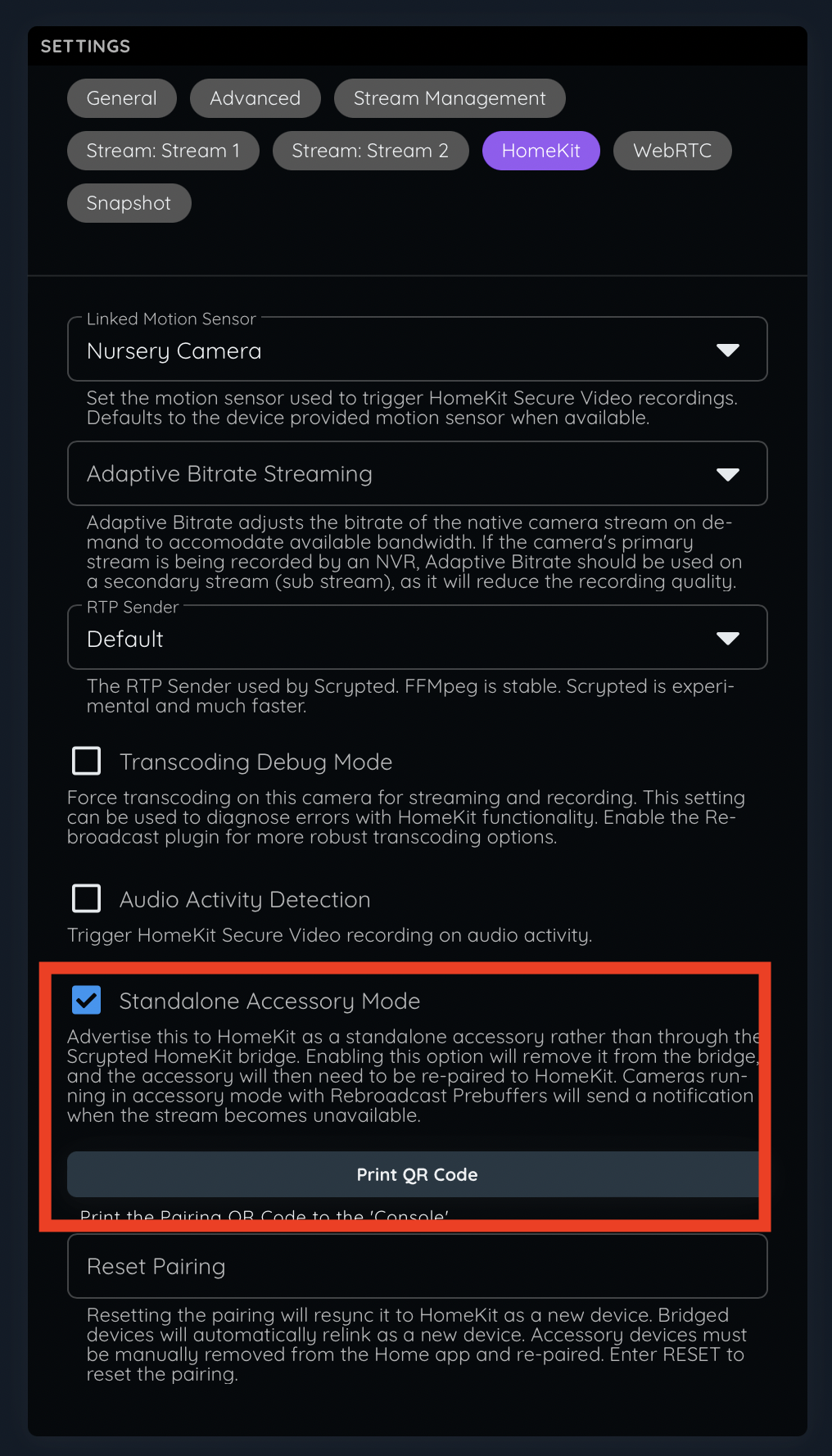
A Scrypted HomeKit plugin was released to address severe performance bugs in the newly released iOS 15.5. TL;DR: Apple broke things. To work around it, update your Scrypted camera's HomeKit settings to use "Accessory Mode", and pair the camera with HomeKit.
Details:
iOS 15.5 was released. Apple changed the Home app connection behavior on iOS devices (but not Mac for some reason) to always route accessory bridge (like Scrypted) connections through the active Home Hub, even when the iOS device is on the same network. This means, all video streams from Scrypted to HomeKit route data through your Home Hubs before going to the iOS Home app.
This extra network hop causes major performance issues, particularly when the HomeHub is a wireless HomePod:
- The HomePod receives a video stream over wifi.
- The HomePod sends that exact same stream back out over wifi.
- The iOS device finally receives the video stream over wifi.
This means there are 3 points of failure for potential packet loss, and even 1 packet lost on a keyframe will prevent the stream from loading. Previously, there would have only been a single wifi hop, when the stream traveled wifi, once, straight from Scrypted to iOS.
The problem again may compound itself if the HomePod is creating a recording at the same time.
After extensive testing, I've found that the same Scrypted cameras in Accessory Mode retain their original behavior: the iOS Home app will connect to them directly, providing snappy and stable streams. Users are encouraged to migrate to Accessory Mode ASAP. This will become the new default soon.
Another benefit of running cameras in Accessory Mode is that the Rebroadcast plugin and Home app will send you notifications if the camera stream goes offline.